How to Set Up IPTV on Your Avov TV Device Complete Configuration Guide
Master IPTV streaming on Avov TV with our step-by-step guide. Access thousands of channels in minutes.
Setting up IPTV on your Avov TV is a straightforward process that unlocks access to thousands of live TV channels, movies, and on-demand entertainment content. This comprehensive guide walks you through every step needed to configure your IPTV service, from accessing the app store to entering your portal details. With a modern streaming interface and seamless IPTV streaming capabilities, you'll be ready to enjoy your favorite shows in minutes.
Why Choose Avov TV Online for IPTV Streaming?
Many users love the Avov TV Online streaming device for its smooth delivery of IPTV services and reliable performance. Although setting up IPTV on Avov TV Online is relatively simple, following the correct steps guarantees a flawless IPTV streaming experience. This manual provides everything you need to successfully configure your IPTV on your Avov TV Online equipment.
Step-by-Step Guide: How to Install IPTV on Avov TV Online
Connect Your Avov TV Online Device
Before you begin your IPTV setup, ensure that your Avov TV Online device is powered on and correctly connected to your television set. Verify that you have a stable internet connection—either Wi-Fi or Ethernet—as this is essential for uninterrupted IPTV streaming and channel loading.
Access the Market App Store
To set up IPTV on your Avov TV Online, navigate to the Market app store. This is where you'll find and download the software required for IPTV streaming on your device.
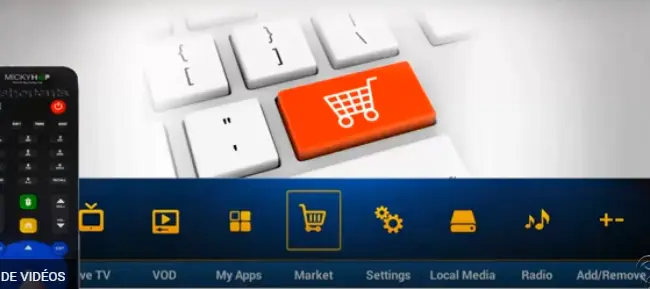
Download and Install the TVOnline IPTV App
Look for the TVOnline app in the Market Store—this is the official IPTV app for Avov products. Download and install the application onto your device to begin your IPTV configuration.
Launch the TVOnline IPTV Application
Once you've installed the TVOnline app, open it to begin the IPTV setup process. The application will now ask for your IPTV subscription information, so have your account credentials ready.
Enter Your IPTV Provider Portal Details
The next step in configuring IPTV on your Avov TV Online is entering your portal credentials. You should use the Portal URL provided by your IPTV service provider. This URL is what connects your Avov TV Online device to the IPTV server, giving you access to all available channels.
Follow these sub-steps to enter your IPTV portal configuration:
- Open the TVOnline application
- Look for the Settings option in the menu
- Select Portal Configuration or Server Configuration
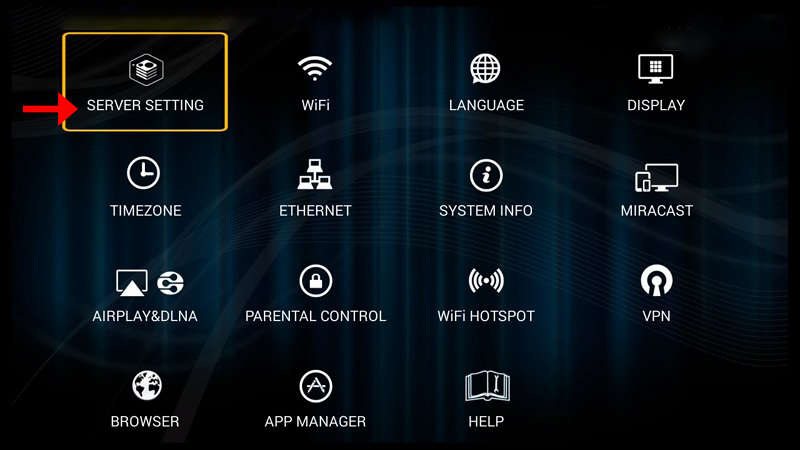
Enter the Portal URL that your IPTV provider has given you
Make sure you input this information accurately to avoid connection issues
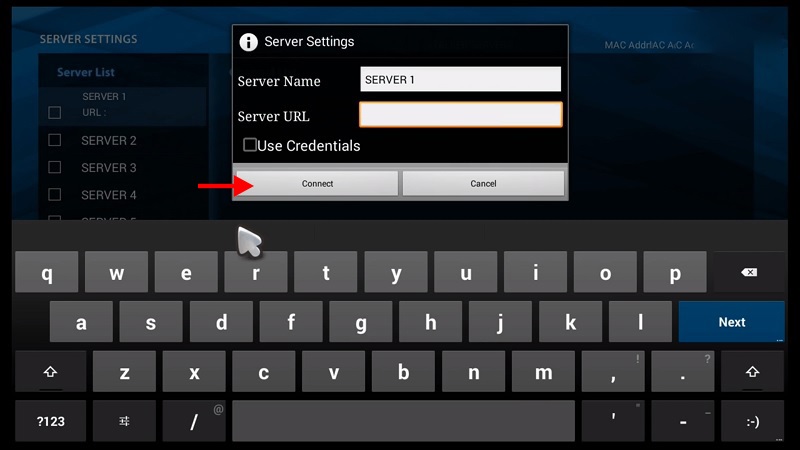
Save your settings and allow the application to process the configuration
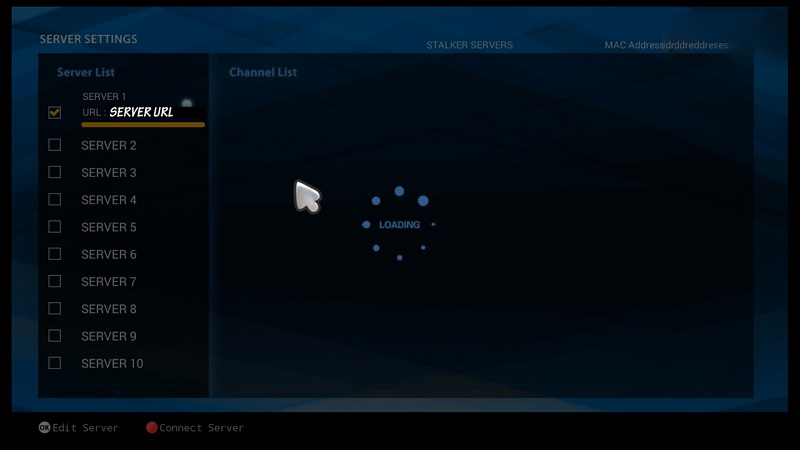
Restart the TVOnline Application and Start Streaming IPTV
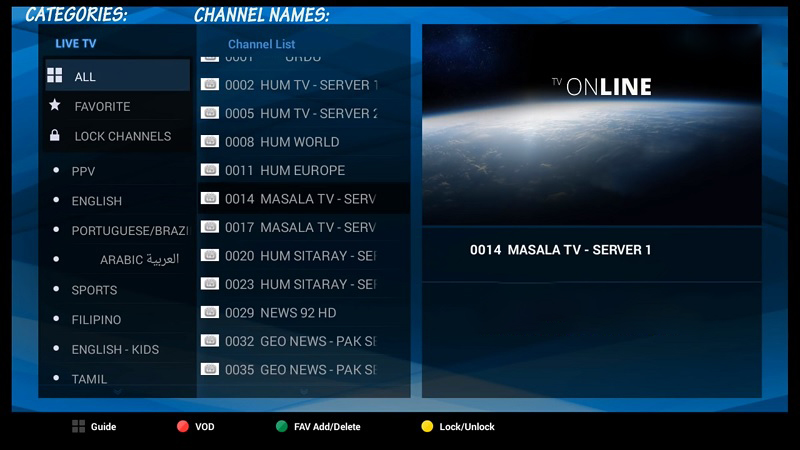
Restart the TVOnline application to apply your new settings. If you've entered the correct Portal URL and your IPTV subscription is active, your channels should load properly. You can now browse through all the available IPTV channels and start enjoying your entertainment.
Troubleshooting Your Avov TV Online IPTV Setup
❓ Why aren't my IPTV channels loading after setup?
If your IPTV channels are not loading on your Avov TV Online, verify that:
- You have entered the correct Portal URL provided by your IPTV service provider
- Your internet connection is stable and functioning properly
- Your IPTV subscription is currently active and not expired
❓ Can I use multiple IPTV services on my Avov TV Online device?
Some versions of TVOnline allow users to customize and add multiple gateways, enabling you to use several IPTV providers simultaneously. Check your app settings to see if this functionality is available on your device.
❓ Do I need a VPN for my IPTV service on Avov TV Online?
Using a VPN is recommended if you experience geo-restrictions or notice ISP throttling issues affecting your IPTV streaming speed and quality. A VPN can help improve streaming performance in these situations.
Conclusion
By following this comprehensive guide, you can successfully set up IPTV on your Avov TV Online device and enjoy seamless access to all your favorite channels. The process is straightforward when you have the correct Portal URL from your IPTV provider and maintain a stable internet connection. Whether you're streaming live TV, movies, or on-demand content through your smart IPTV setup, your Avov TV Online is now fully configured for entertainment.