How to Install IPTV on Firestick Complete 2025 Guide
Enable Apps from Unknown Sources, use Downloader to sideload IPTV Smarters Pro (or any favorite player), then log in with your IPTV subscription. This walkthrough covers every tap needed to unlock live TV, VOD, and series on Amazon Fire TV devices.
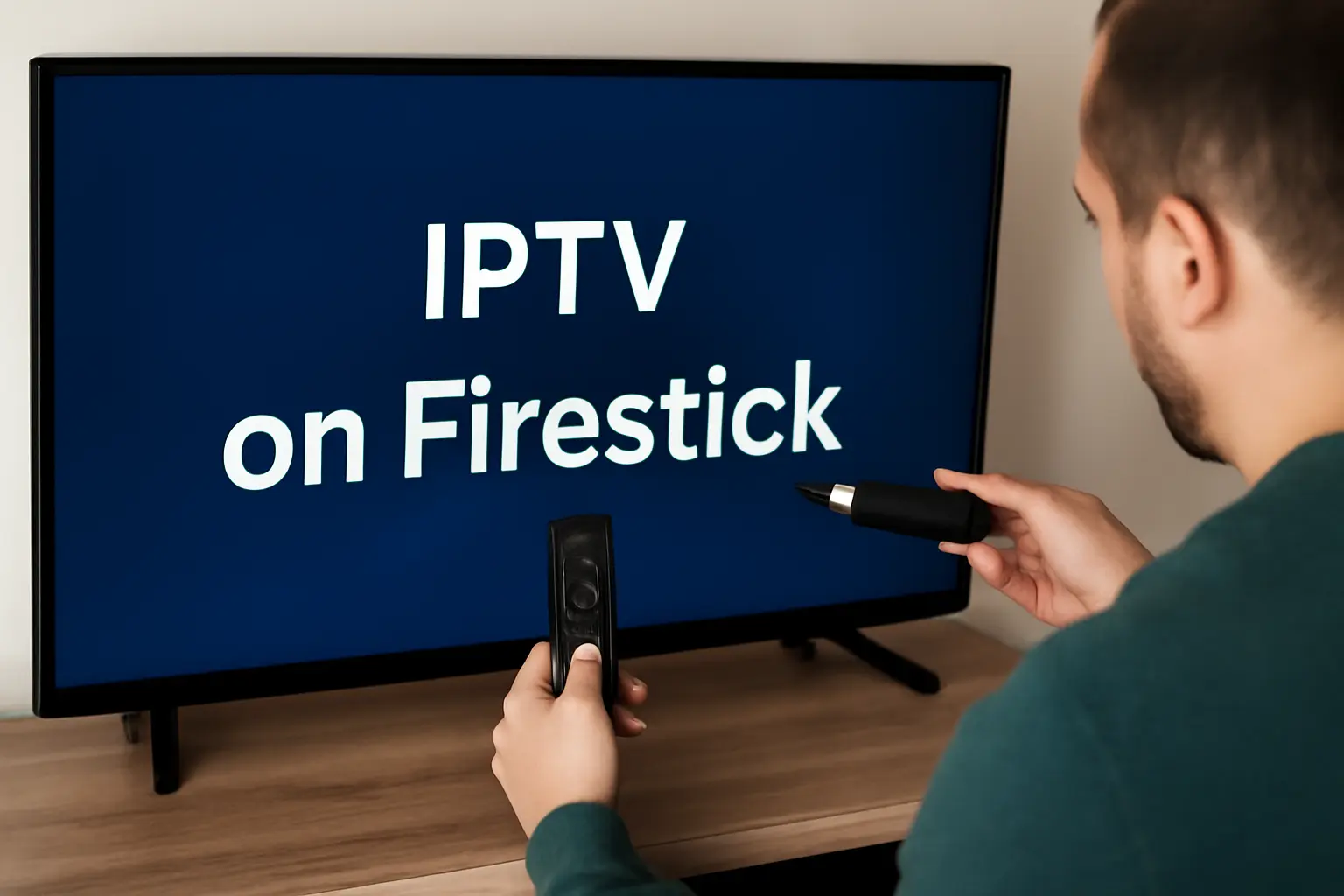
The Amazon Firestick remains the most popular IPTV streaming device thanks to its compact design, affordable price, and support for thousands of apps. Pair it with a reputable provider like IPTV USA to gain HD sports, movies, and multi-language channels in minutes.
You will need
Amazon Firestick + IPTV subscription + stable internet
What you unlock
Live TV, VOD, EPG, replay, and parental tools
Prepare your Firestick (enable unknown sources)
Allowing Apps from Unknown Sources lets you sideload IPTV players that are missing from the Amazon App Store. Follow these simple toggles first.
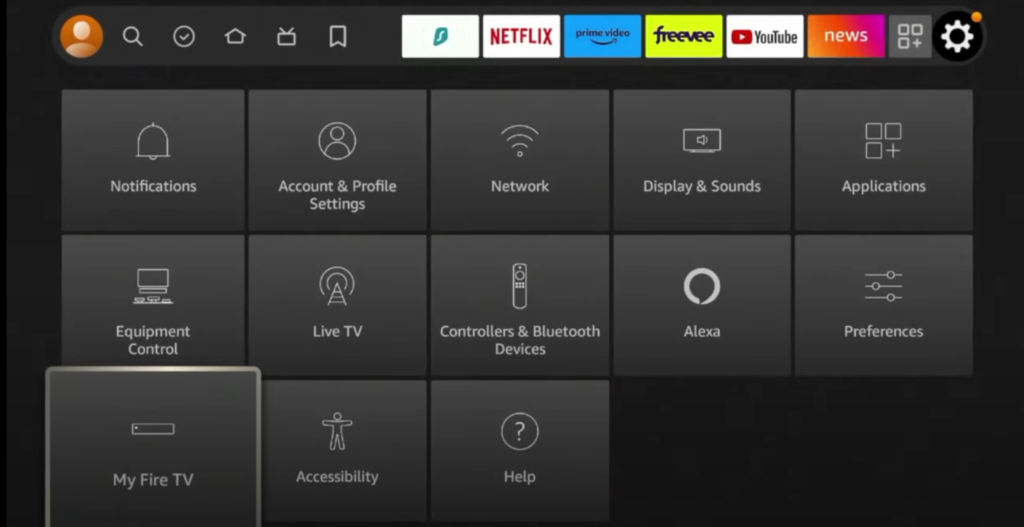
- a.From the Fire TV home screen, open Settings (gear icon) and choose My Fire TV or Device & Software.
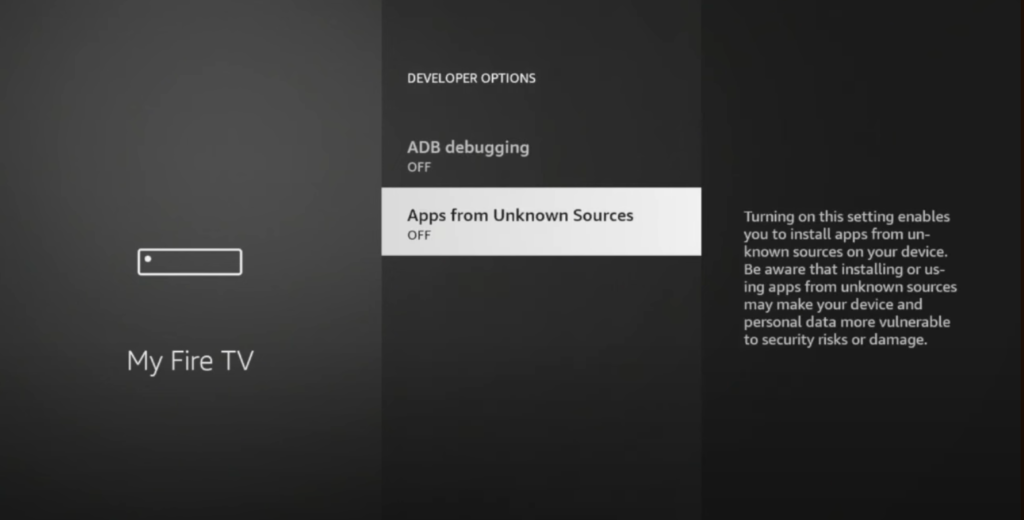
- b.Enter Developer Options to view sideloading preferences.
- c.Toggle Apps from Unknown Sources to ON and confirm the system warning.
- d.(Optional) Enable ADB Debugging if your IPTV player recommends it for advanced installs.
Install the Downloader app
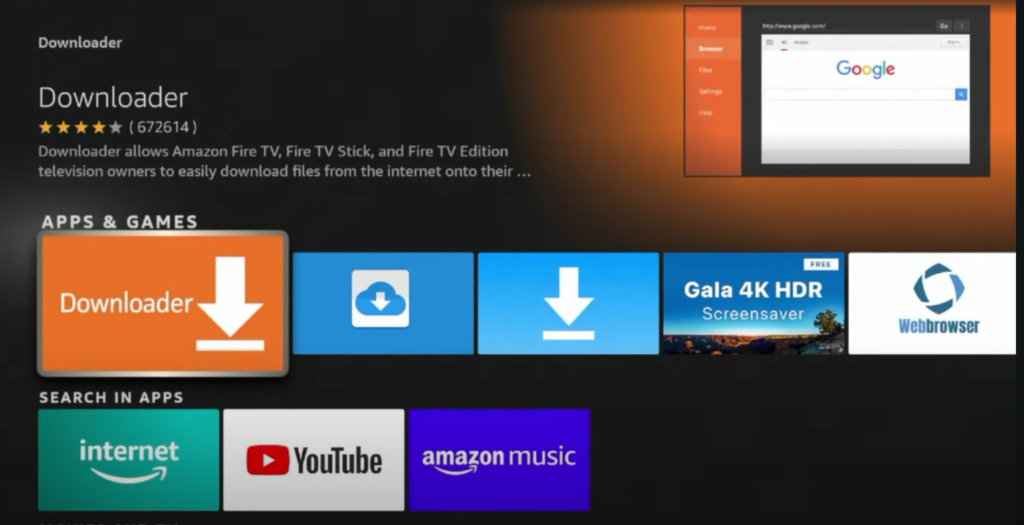
Downloader is the safest way to pull APK files directly onto Fire OS. Install it from the official Amazon catalog.
- Use the Search icon on the Fire TV home bar and type "Downloader".
- Select the bright orange Downloader tile from the results.
- Hit Download (or Get) and wait for installation.
- Launch Downloader and approve the requested permissions.
Download and install your IPTV player
Enter the official APK link for IPTV Smarters Pro or alternative IPTV players. Downloader handles the download and passes the file to Fire OS for installation.
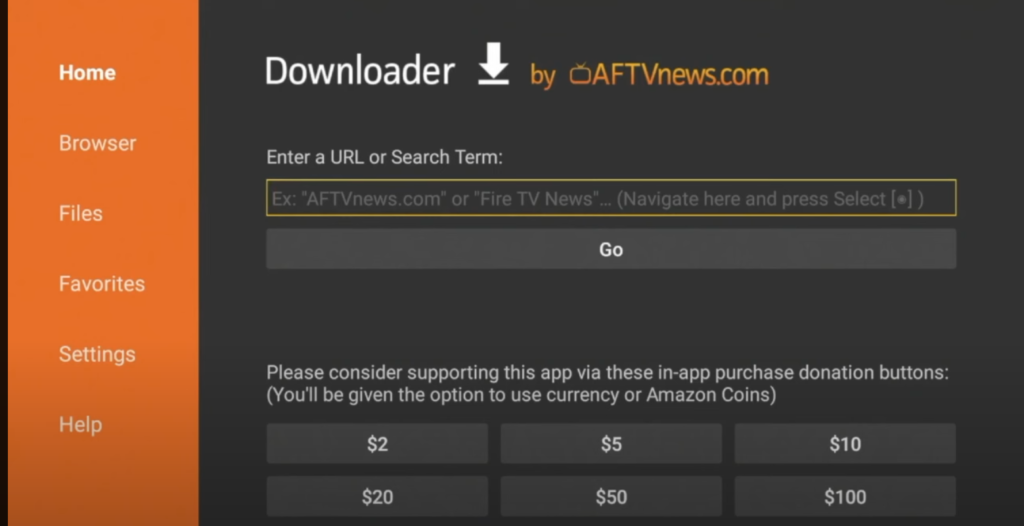
- Open the Downloader app and focus the URL field on the Home tab.
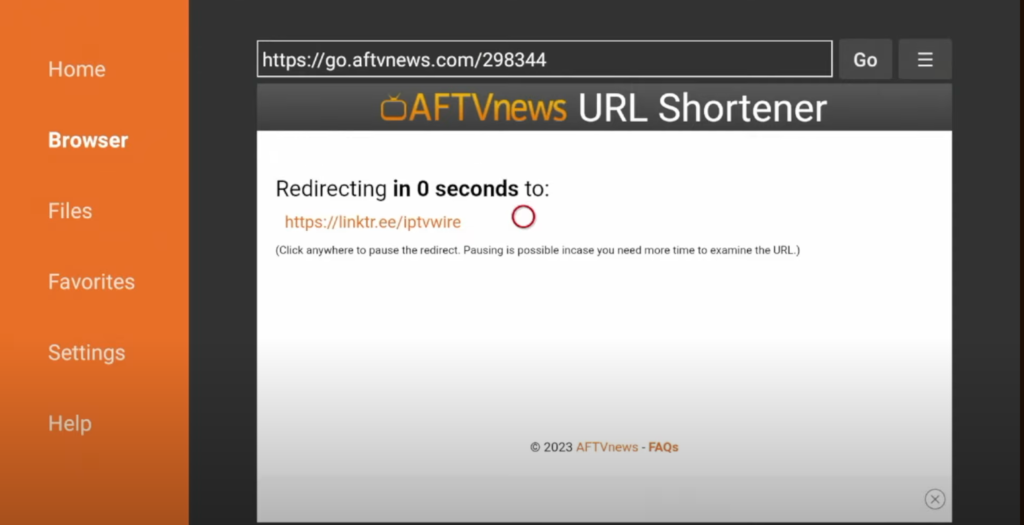
- Type the official download link for your preferred IPTV player (for IPTV Smarters Pro use https://www.iptvsmarters.com/smarters.apk).
- Press Go to fetch the APK directly onto your Firestick.
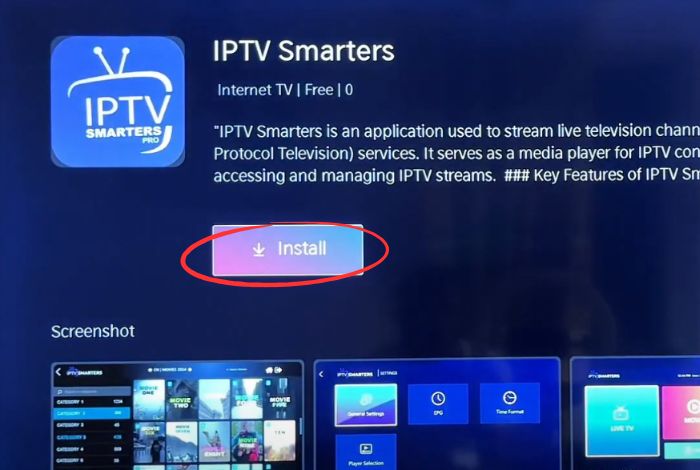
- When the installer prompt appears, select Install and wait for the Fire OS confirmation message.
- Tap Open to launch the IPTV app immediately or Done to remove the APK file and save storage space.
Alternative IPTV apps
- •TiviMate IPTV Player – polished UI with deep EPG support.
- •Flix IPTV – lightweight layout that is easy for guests to navigate.
- •GSE Smart IPTV – power-user controls and playlist management.
- •Perfect Player IPTV – high customization with fast zapping.
Add your IPTV subscription
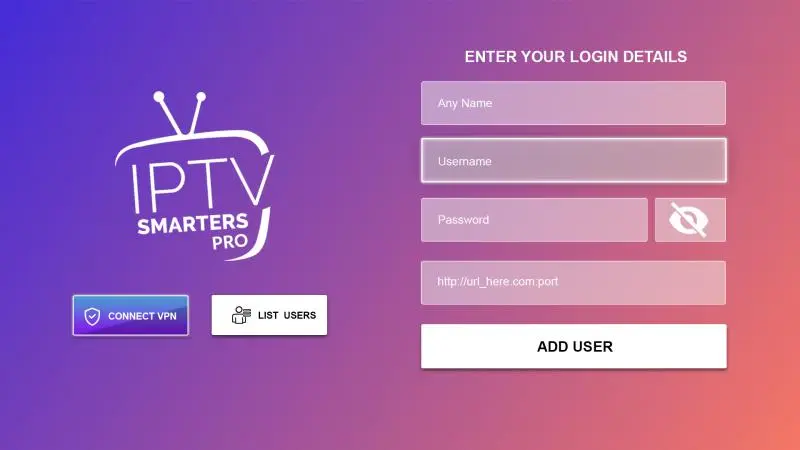
Launch the IPTV app, select your login method, and enter the credentials issued by your IPTV provider. IPTV Smarters Pro supports M3U playlists, Xtream Codes API, or username/password logins.
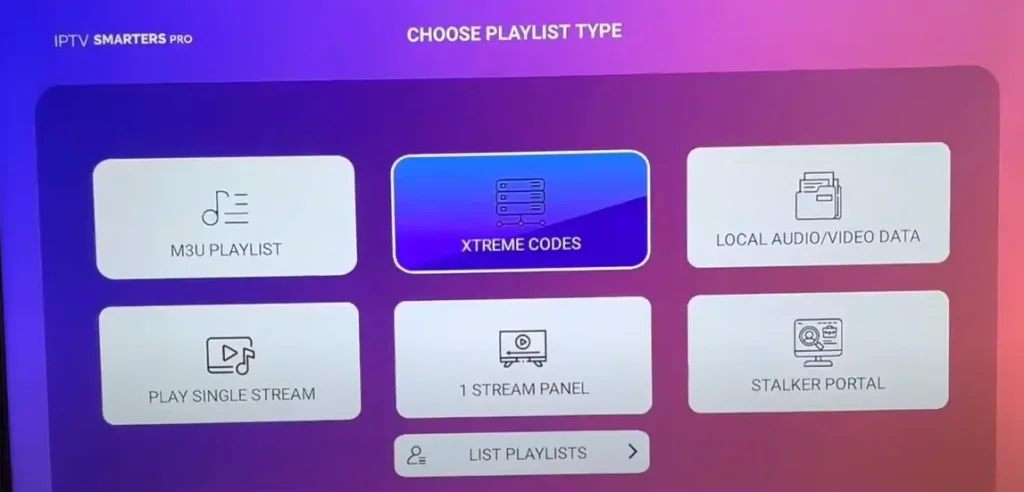
- Add your Server/Portal URL.
- Type the Username and Password exactly as delivered by your IPTV provider.
- Press Login / Add User and allow the playlist plus EPG to sync.
Start streaming IPTV on Firestick
After authentication, IPTV Smarters Pro loads your live TV, VOD, series, and catch-up libraries. Use the Alexa remote to browse categories, search, and favorite channels.
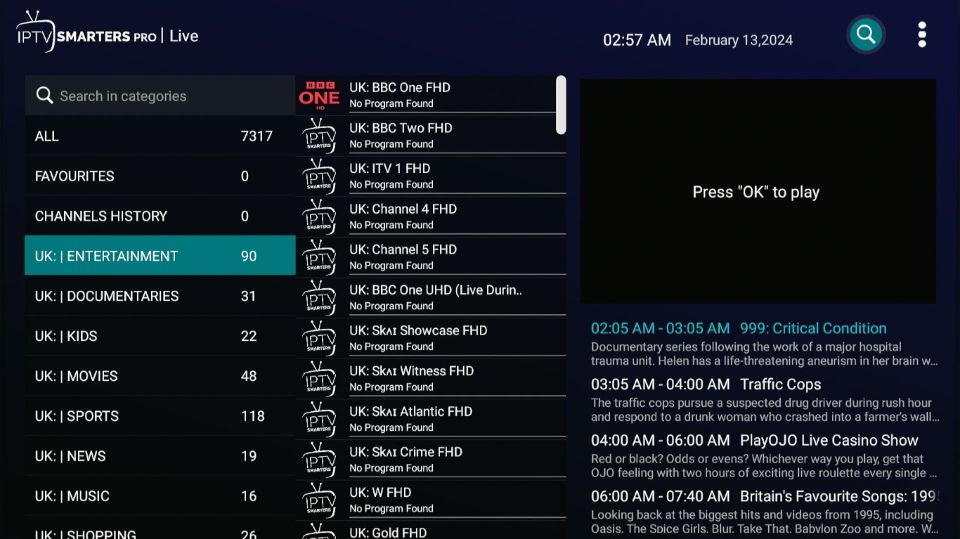
- Live TV channel categories from around the globe.
- Movies and series VOD libraries with resume support.
- Catch-up / replay (provider dependent).
- EPG grid view for precise scheduling.
- Favorites, parental controls, and subtitle toggles.
Optimize your IPTV experience
- •Prefer a wired Ethernet adapter or strong 5 GHz Wi-Fi to cut buffering.
- •Clear cache for heavy IPTV apps via Settings → Applications → Manage Installed Applications.
- •Lower video resolution temporarily if your ISP connection dips below the recommended bandwidth.
- •Close unused background apps so the Firestick can dedicate resources to decoding IPTV streams.
- •Keep IPTV players updated so you benefit from the latest stability and codec patches.
Enhance privacy with a VPN
Use a reputable VPN when streaming IPTV to avoid throttling, bypass geo-restrictions, and protect personal data on shared networks.
- •NordVPN – fast servers, strong encryption, native Fire TV app.
- •ExpressVPN – premium routing, large network, very simple UI.
- •Surfshark – budget friendly with unlimited device connections.
- •CyberGhost – streaming-optimized servers with clear labeling.
- •IPVanish – Fire TV focused with quick-connect shortcuts.
Organize and secure your IPTV content
- •Set a secure PIN inside the IPTV app to block adult categories.
- •Create separate user profiles for kids with curated channel groups.
- •Hide or lock mature playlists so they never appear in the guide.
- •Enable time limits or viewing schedules when the app supports it.
- •Review watch history periodically to confirm compliance.
Troubleshooting & FAQ
How do I know if my IPTV subscription is legal?
Choose providers that publish licensing details, transparent pricing, and full terms of service (e.g., IPTV USA). Avoid suspiciously cheap services with no contact information. Legit platforms advertise compliance with regional broadcasting laws.
Can I install IPTV on multiple devices?
Most IPTV services allow several concurrent streams. Check your provider dashboard for allowed device limits, then reuse the same M3U URL or Xtream credentials on other Firesticks, phones, or smart TVs.
What speed do I need for IPTV?
Plan for at least 3–5 Mbps for SD, 5–10 Mbps for HD, 15–25 Mbps for Full HD, and 25+ Mbps for 4K. Add extra headroom if other devices share the network.
Why is my IPTV buffering?
Run a speed test, restart the Firestick, clear the IPTV app cache, lower stream quality, try a VPN to bypass throttling, and contact your provider to rule out server issues.
Conclusion
Installing IPTV on Firestick takes just five steps: enable Apps from Unknown Sources, install Downloader, grab your preferred IPTV APK, log in with your IPTV credentials, and enjoy live channels plus VOD. Maintain a strong internet connection, keep your apps updated, and work with trusted providers to make the most of your Fire TV streaming setup in 2025.